-
Written By Rohan Wiese
-
Updated on September 16th, 2025
How to Fix MySQL Error 1064: SQL Syntax Error Explained?
 4.9 based on 1809 user reviews
User Query: “Yesterday, when I was restoring my SQL database, I suddenly encountered a SQL Database Error 3456. Can someone guide me with a quick and reliable fix? I urgently need to export my data securely.”
Overview: The user in the above query asked for a secure and proven fix for the SQL Database Error 3456 taking place. If you also need a fix for this error, read this entire blog. As here in this blog, we will be exploring various fixes along with their step-by-step guide to perform. Still, if none of them helps, you can refer to a recovery solution that is the DataRecoveryFreeeware SQL Recovery tool provided below to recover all your SQL database data. Continue Reading.
What is MySQL Error 1064?
The MariaDB 1064 error, also called an SQL syntax error, occurs when there is an issue with your SQL query, and the database server cannot interpret it. At that time, instead of executing the incorrect command, MySQL chooses to throw a 1064 MySQL error message starting with “You have an error in your SQL syntax.” The error code itself (1064) represents a general syntax issue rather than a specific missing keyword or character.
Common Causes of MySQL Error 1064
There are several reasons why this error appears. Some of the most common ones include:
- Misspelled Commands or Keywords – A small typo, like writing SELEC instead of SELECT, can trigger the error.
- Usage of invalid table or Column Names – This error may take place when the user uses an invalid identifier or name.
- Misusing Reserved Words– There are certain reserved keywords (like “GROUP” or “ORDER”) that MySQL has. When you use these identifiers without backticks, this error may appear.
- Mismatch in Data Types or Values– Trying to put text values into a column meant for numbers without the right format.
- Mismatch Between Software Versions– Some of the features that work in the latest versions of MySQL may not work on the older ones.
Quick Fixes for MySQL Error 1064
Among the large number of fixes available, here we will discuss only the four most effective ones. You can try them all and see which one works for you.
Fix 1: Update Old or Unsupported Commands
MySQL keeps changing with each new version, and some commands you might be used to could be outdated now. If you’re using an older syntax, MySQL will throw a MySQL Error 1064. Always check the version you’re working on and replace outdated commands with the updated ones so the query runs smoothly.
Fix 2: Double-Check for Typing Errors
A very common cause of the 1064 Error in MySQL is simply typing mistakes. Even if the mistake is very small, like an extra space, missing a character can cause your query to fail. Hence, it is better to first read your query so that you can avoid errors before executing.
Fix 3: Handle Your Reserved Keywords Properly
MySQL has certain reserved words that it treats specially. If you use these words as column or table names, it can cause SQL Error Code 1064. The easy solution is to put them in backticks. For example, if your column is named SELECT, write it as SELECT. This tells MySQL you mean your column, not the command.
Fix 4: Repair Corrupted Databases with Data Recovery Freeware Tool
Sometimes, the error isn’t just about syntax—it may appear if your database files are corrupted. In such cases, manual fixes won’t work. Using a specialized Data Recovery Freeware SQL Recovery Tool is built for this purpose. They can repair and restore MySQL database files, handle data types like Unicode and ASCII XML, and recover MDF/NDF files, making your database usable again.
Steps to resolve MySQL Error 1064 are as follows:
- Install & start the Data Recovery Freeware SQL Recovery Tool.
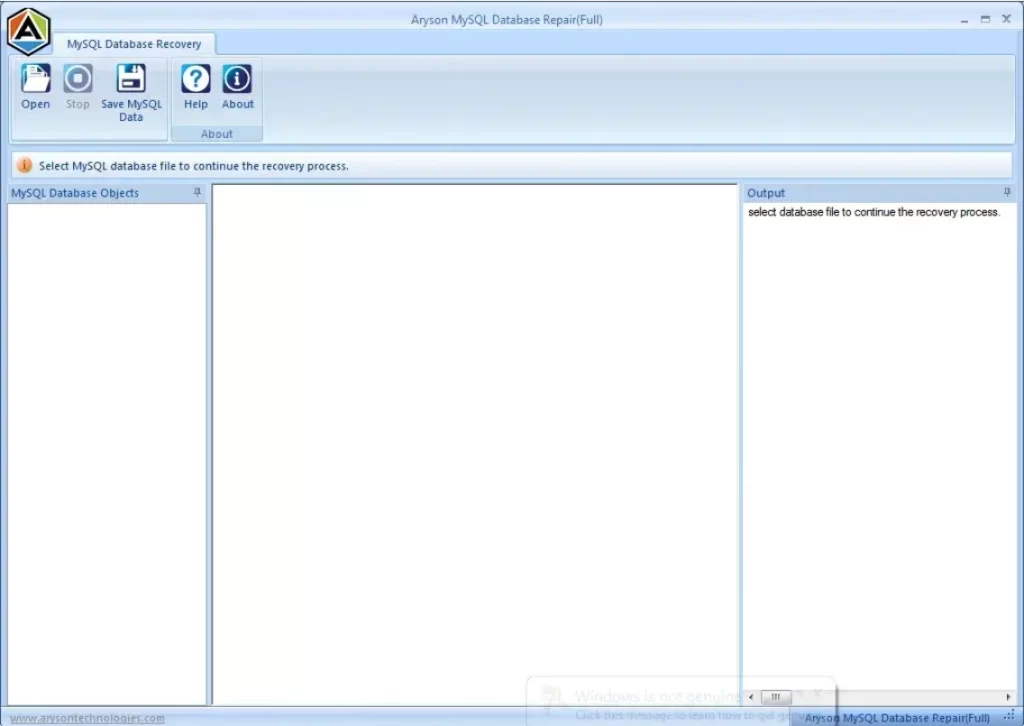
- Then, browse and load your corrupted MySQL database file.
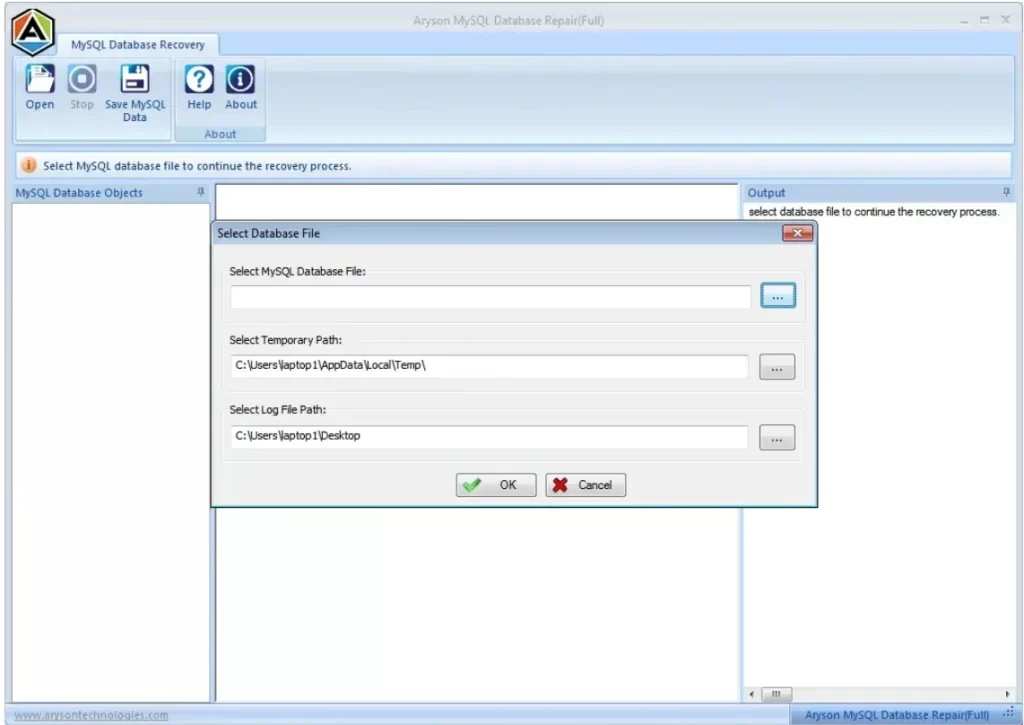
- Now, select recovery mode (Standard or Advanced) and scan.
- After that, Preview recovered data after scanning.
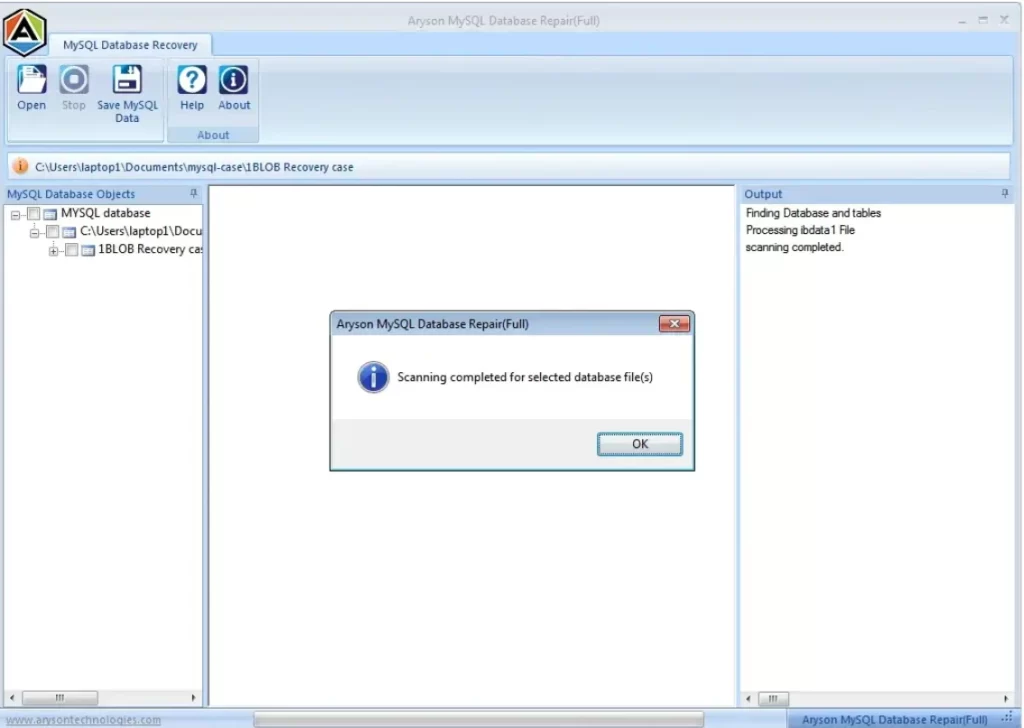
- Click on the Save CSV Data option to save the results in CSV format.
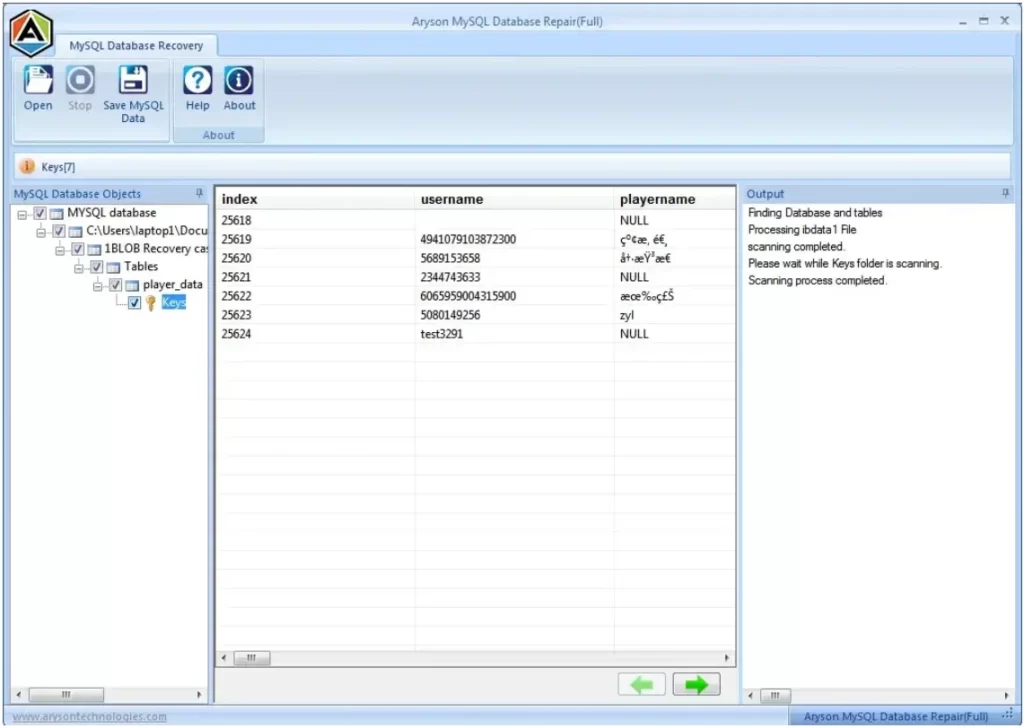
- Click on “Save SQL Data,” adjust the settings, and then click “OK.”
- Once your saving process is complete, click the final OK button.
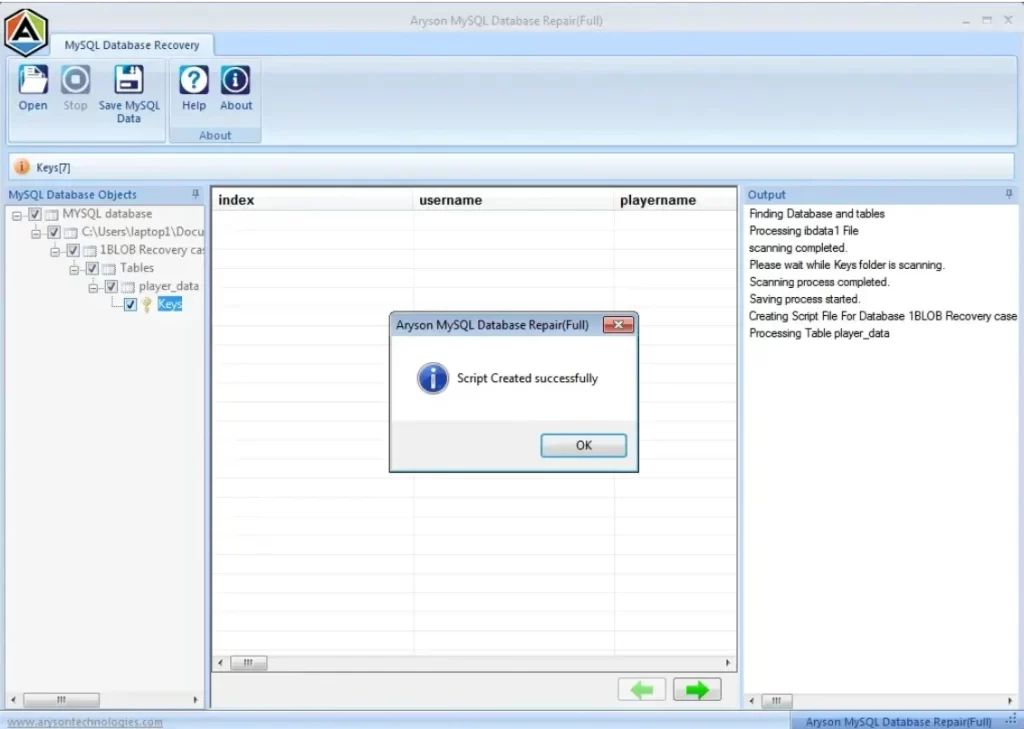
If you follow the above steps carefully, you can easily resolve the MySQL Error 1064 in just a few seconds. Not only Error 1064, but using the same software, you can also resolve the SQL Database Error 3456.
Conclusion
This blog covered what MySQL Error 1064 means, its common causes, and step-by-step manual fixes, along with a tool-based option. The error doesn’t harm your data; it only blocks incorrect queries. You can fix the problem by either correcting your incorrect SQL syntax or by using an automated solution like the Data Recovery Freeware MySQL Database Recovery Tool.
Frequently Asked Questions
Q.1 How do I fix error 1064 in MySQL?
Ans-Error 1064 usually occurs due to syntax mistakes in your SQL query. To fix it, carefully review your query for missing commas, wrong keywords, unmatched parentheses, or incorrect table/column names. Correcting the syntax generally resolves the issue.
Q.2 Can MySQL Error 1064 happen in MariaDB?
Ans-Yes. MariaDB is highly compatible with MySQL, so a syntax error like 1064 can occur in MariaDB too. The cause and resolution remain the same—check your SQL statement for errors and correct them.
Q.3 How do I identify where the error 1064 is in my query?
Ans: MySQL usually highlights the part of the query near the syntax issue. Look closely at the error message—it often points to the line or near the keyword causing the problem. Breaking complex queries into smaller parts can also help identify the exact location.
Q.4 What does “You have an error in your SQL syntax” mean?
Ans-Syntax Error: 1064 usually occurs due to syntax mistakes in your SQL query. To fix it, carefully review your query for missing commas, wrong keywords, unmatched parentheses, or incorrect table/column names. Correcting the syntax generally resolves the issue.
Q.5 Does Error 1064 affect data or just the query?
Ans-Error 1064 only stops the query from executing; it does not affect existing data in your database. However, the intended operation will not complete until the syntax error is fixed.
Q.6 How to prevent MySQL Error 1064 in the future?
Ans- Double-check SQL syntax before running queries.
Use tools like SQL query validators or IDEs that highlight errors.
Keep backups of your database. Freeware SQL recovery and data recovery tools can help restore data if an incorrect query accidentally affects records.
4.9 based on 1809 user reviewsAbout The Author:

Rohan Wiese is a content and website optimization expert who helps blogs and businesses grow organically. He specializes in enhancing content quality, improving site structure, and increasing online visibility through smart, practical, and easy-to-implement strategies that drive long-term results.
Related Post