-
Written By Rohan Wiese
-
Updated on February 24th, 2026
How to Identify and Fix SQL Server Orphaned Users
 4.9 based on 1809 user reviews
Managing user access is a critical part of database administration. However, many administrators face issues with SQL Server orphaned users, especially after database migration or server exchange. These orphaned users can cause a login failure or access error that leads to security concerns. In this blog, we will discuss the most appropriate methods to address the issues, including the SQL Server Database Migration Tool. Additionally, this software makes sure of a smooth recovery of SQL Server orphaned users with complete data security.
What are Orphaned Users in SQL Server?
Orphaned users in SQL Server are database users who are linked with the corresponding login at a server level. In other words, the database users exist, but the server login does not depend on them.
In SQL Server, authentication works at two levels:
- Server level – Login
- Database Level – User
When the mapping between login and users breaks, it consequently creates orphaned database users in SQL Server.
Why Do SQL Server Orphaned Users Appear?
Commonly, orphaned users appear due to several reasons:
- When a database is restored on a new server, logins may not exist there.
- If a login is deleted but the database user remains, it becomes orphaned.
- During the migration process, logins might not be transferred correctly.
- Each login has a unique Security Identifier (SID). If the SID differs from the database user’s SID, the mapping fails.
- Not following a proper backup and restore SQL database procedure may lead to orphaned users.
How to Identify SQL Orphaned Users?
You can identify the SQL orphaned users using the T-SQL queries. Primarily, the following methods are used:
Method 01: Use System View
| SELECT dp.name AS DatabaseUser FROM sys.database_principals dp LEFT JOIN sys.server_principals sp ON dp.sid = sp.sid WHERE sp.sid IS NULL AND dp.type IN (‘S’, ‘U’); |
This query helps you to identify the users who do not match the server login.
Method 02: Use sp_change_users_login (Older version)
| EXEC sp_change_users_login ‘Report’; |
However, newer versions of SQL Server no longer support this stored process.
How to Fix Orphaned SQL Server Users?
There are multiple ways to fix the orphaned SQL server. Depending on the situation, you can choose the appropriate method.
Method 01: Map Existing Login to User
| ALTER USER [username] WITH LOGIN = [loginname]; |
This remaps the users to the correct login.
Method 02: Create a missing login
If the login does not exist, then create it first.
| CREATE LOGIN [loginname] WITH PASSWORD = ‘StrongPassword’; ALTER USER [username] WITH LOGIN = [loginname]; |
Method 03: Use SID Matching
If you want to maintain the same SID, then create an SID using the original login.
| CREATE LOGIN [loginname] WITH PASSWORD = ‘StrongPassword’, SID = 0xYourSIDHere; |
Method 04: Use Advanced Software for Microsoft SQL Server Orphan Users
Alternatively, you can use the SQL Server Database Migration Tool to securely migrate SQL orphaned users. This software securely connects the source to the destination using a reliable login process. Also, it allows you to select the data transfer mode for the simple view. It maintains the data structure and transfers data in SQL tables, views, columns, indexes, etc. If you have to backup and restore SQL database, you can use the same software.
Simple Process to Migrate SQL Orphaned User:
- Download and install the SQL Server Database Migration Tool on your system.
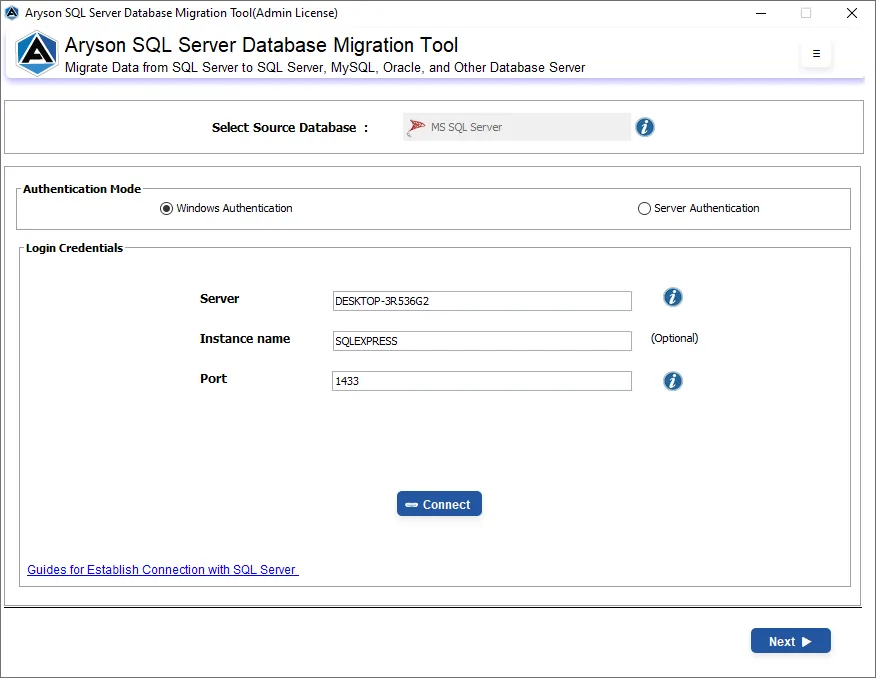
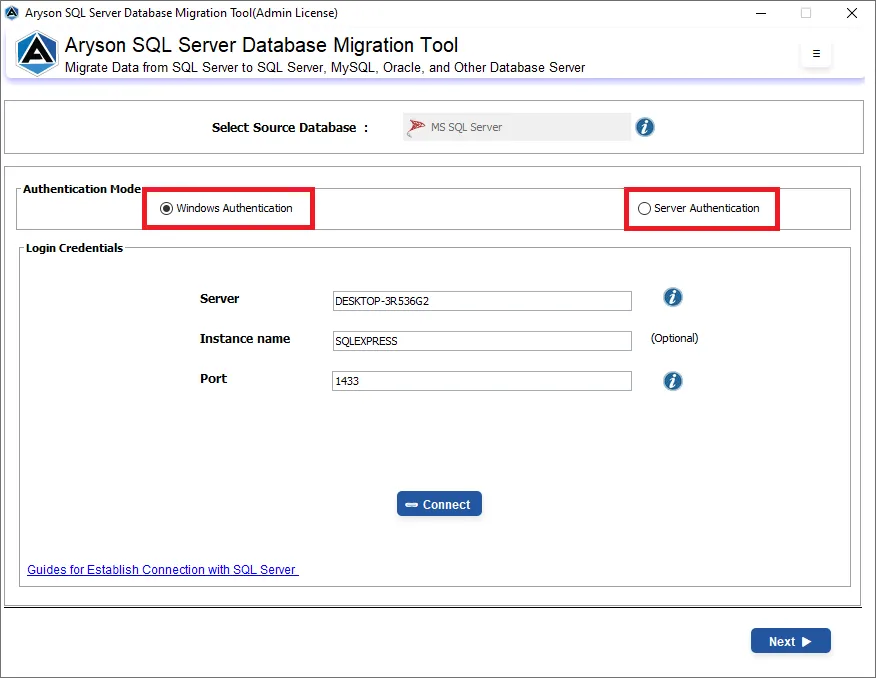
- Now, select the authentication mode: Windows or Server & enter login credentials.
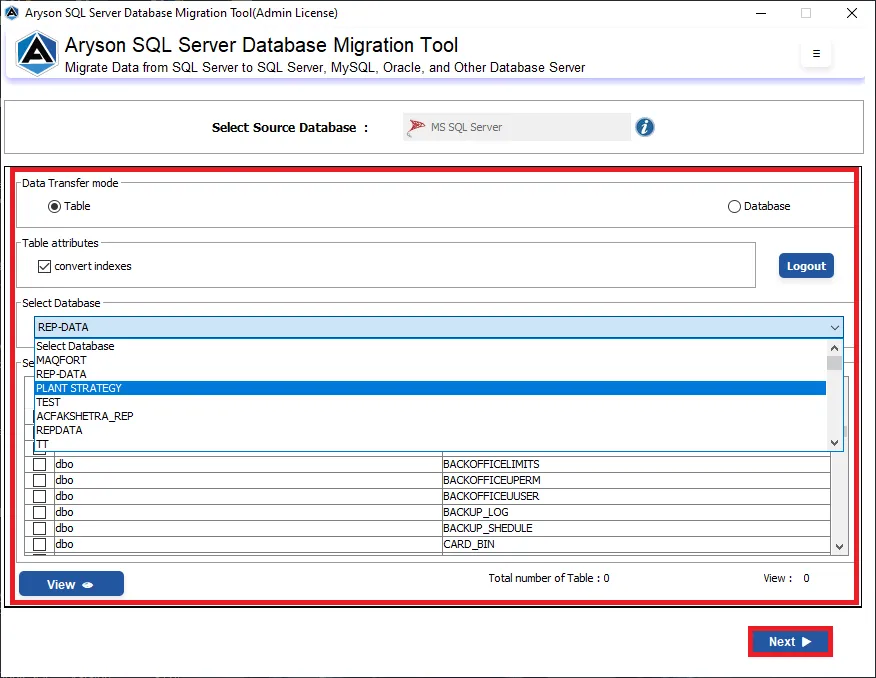
- Next, select the source and apply the required filters to proceed further.
- Then, select the destination and enter the login credentials to connect >> Next.
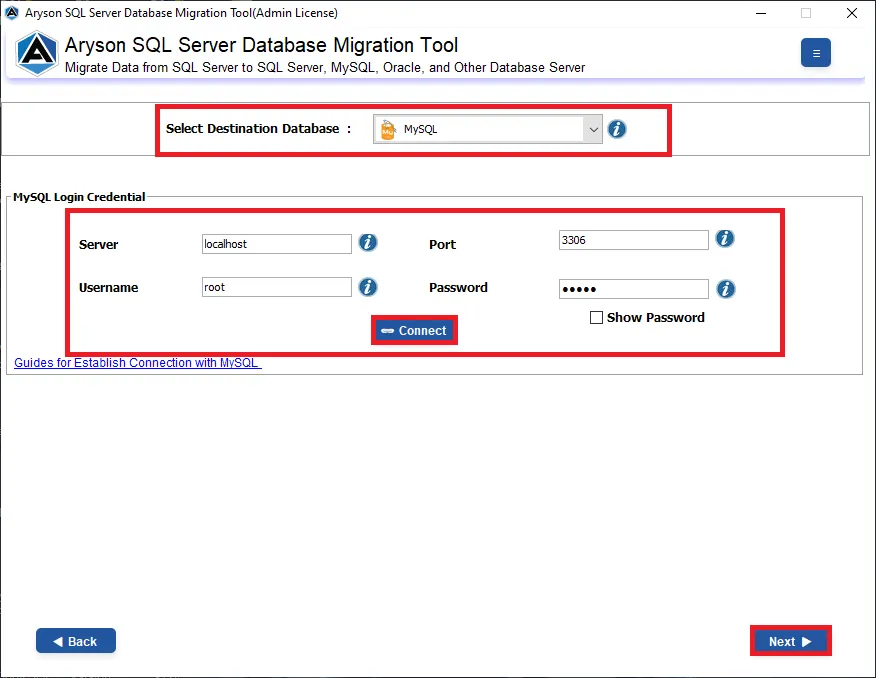
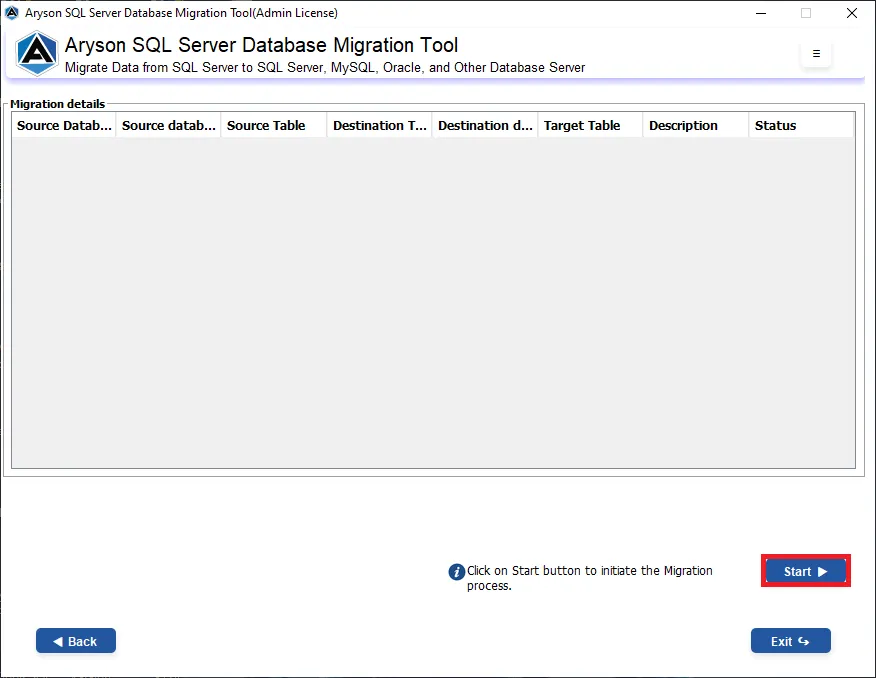
- At last, click on the Save button to start the process.
Ending Quote
In conclusion, this blog covered all the problems and solutions to recover your SQL Server orphaned users. You can use the above-mentioned queries to identify the issues and fix them. It is important to always opt for the right method to resolve the issues. Additionally, it is suggested to use the advanced software for better security and complete data integrity.
Frequently Asked Questions
1: Why do orphaned users appear in SQL Server databases?
Ans. Generally, the orphaned appear after database migration or restoration when associated server logins are missing, or SIDs do not match properly.
2: How to fix orphaned users in SQL Server?
Ans. Primarily, you can remap users to existing logins or use the SQL Server Database Migration Tool to maintain proper mappings.
3: Can orphaned users cause SQL Server login issues?
Ans. Yes, orphaned users commonly cause login failures, access denied errors, and permission-related authentication problems.
4: Are orphaned users a security risk in SQL Server?
Ans. Yes, they may create security inconsistencies and improper access control if not identified and resolved promptly.
5: How to list all orphaned users in SQL Server using T-SQL?
Ans. Fortunately, use T-SQL queries joining system views like sys.database_principals and sys.server_principals to identify unmatched users.
6: Do orphaned users affect database performance in SQL Server?
Ans. No, they do not affect performance directly. However, they may disrupt authentication and user access management processes.
4.9 based on 1809 user reviewsAbout The Author:

Rohan Wiese is a content and website optimization expert who helps blogs and businesses grow organically. He specializes in enhancing content quality, improving site structure, and increasing online visibility through smart, practical, and easy-to-implement strategies that drive long-term results.
Related Post