-
Written By Isha Singh
-
Updated on December 24th, 2025
Fix 0x800ccc1a Outlook Error: Quick Send/Receive Solutions
 4.9 based on 1809 user reviews
Summary: Do you also get the 0x800ccc1a Outlook Error while sending or receiving emails? If yes, you are at the right place. The error mainly appears due to wrong encryption settings or corrupt Outlook data files. Moreover, here we will discuss this error, why it happens, and how you can fix it using the PST Repair tool. By the end, you will know how to fix this problem and stop it from happening again.
What is the Outlook 0x800ccc1a Error?
This error usually comes up when Outlook is unable to make a secure connection with the email server. It often happens with both incoming (POP3/IMAP) and outgoing (SMTP) emails. In most cases, it is linked to incorrect SSL settings, but sometimes a damaged PST/OST file can also be the reason.
Reasons Behind the Outlook Email Error 0x800ccc1a
- Wrong SSL or encryption settings in Outlook.
- Old Outlook version or damaged profile.
- Changes made by your email provider in their security protocols.
- A faulty Windows update affected network settings.
- When the PST or OST files are corrupted.
Quick Techniques to Fix the 0x800ccc1a Outlook Error
It is disturbing when the communication breaks due to an error. Here we will look at two solutions, which include the built-in technique and another using automated software.
Technique 1: Manual Fixing of SSL and Port Settings
Follow these steps to check and adjust your settings:
Stage 1: Open Account Settings
- Firstly, open Outlook and click File.
- Select Account Settings >> Account Settings again.
Stage 2: Edit Server Settings
- Similarly, choose your email account and click Change.
- Tap on More Settings and select the Advanced tab.
- Enable the SSL and try changing to TLS or disabling SSL temporarily.
- Make sure the port numbers are correct:
- Check the IMAP: 993 (SSL) or 143 (TLS)
- POP3: 995 (SSL) or 110 (TLS)
- SMTP: 465 (SSL) or 587 (TLS)
Stage 3: Save and Test
- Finally, click OK and restart Outlook.
- Send a test email to check if the Outlook Send Receive Error 0x800ccc1a is gone.
Cons of using the manual method:
- You must know your correct server settings.
- It cannot come into use when the Outlook file is damaged.
- Not suitable for bulk profile fixes.
Technique 2: Quick Solution Tool to Fix the 0x800ccc1a Outlook Error
If your Outlook PST or OST file is damaged, then some changes in the settings will not help. In that case, using automated software like Aryson Outlook PST Repair Tool is the faster and safer option.
Additional Pointers of this Utility:
- Repairs corrupted PST/OST files without losing data.
- Also works for other errors like 0x80040115 Outlook Error and others.
- Recovers emails, contacts, calendars, and attachments.
- Works on all Outlook versions, including Windows and Mac.
- Technical knowledge is not required to operate.
Steps to Use to Fix This Error
- Install and run the Aryson Outlook PST Repair Tool on your computer.
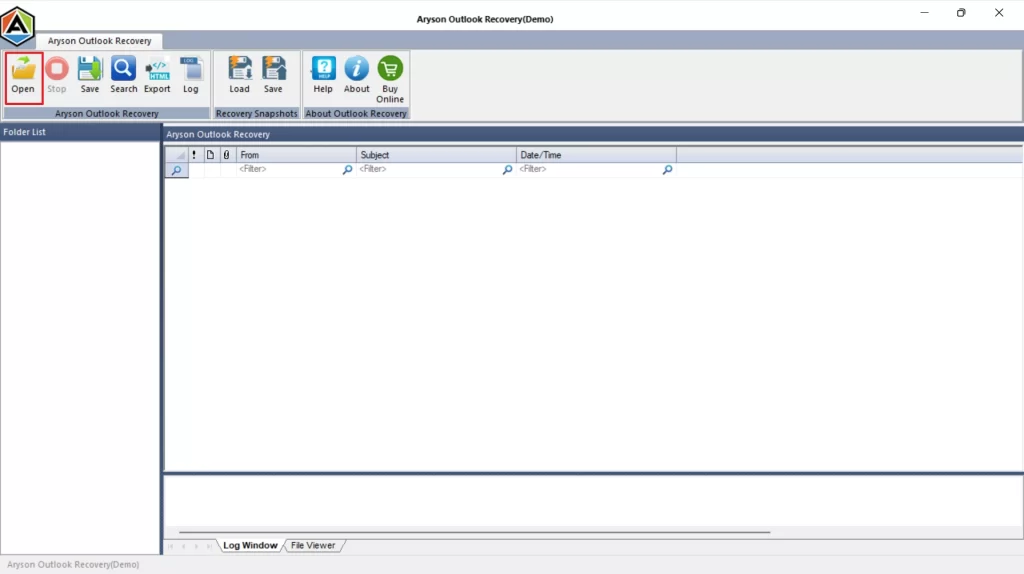
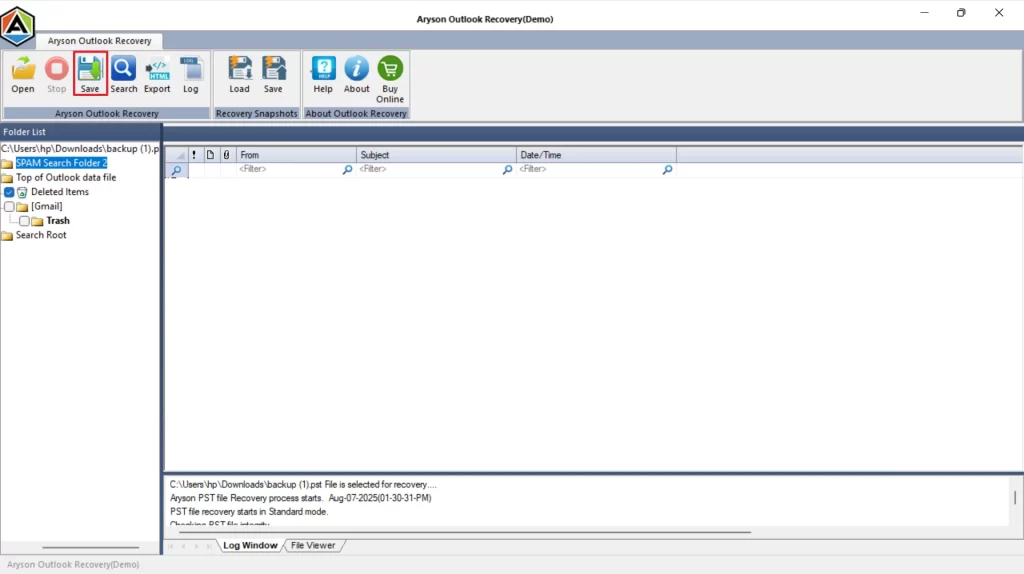
- Click on Open to select the damaged PST/OST file.
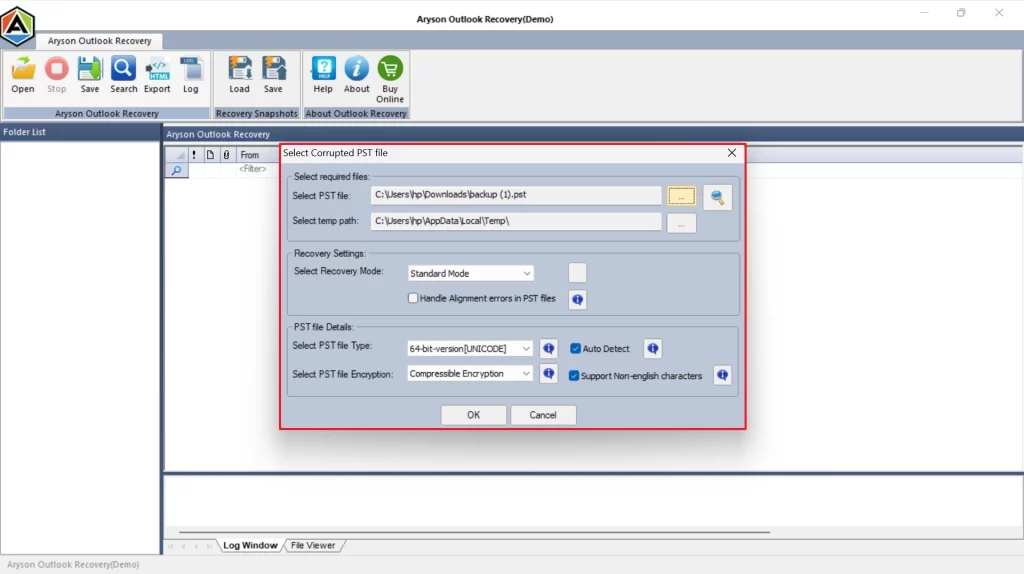
- Always preview the recovered files before saving them.
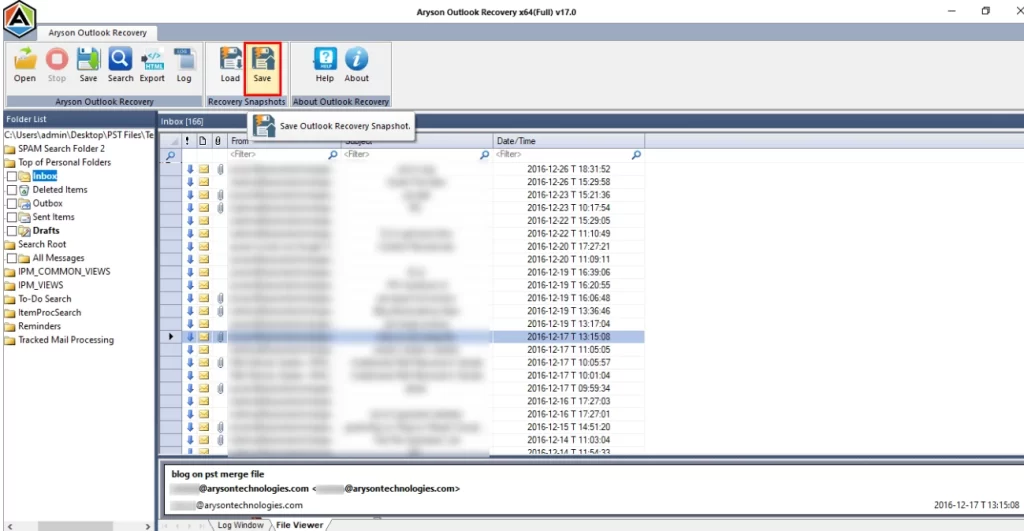
- Click on Save to save the repaired file and open it in Outlook.
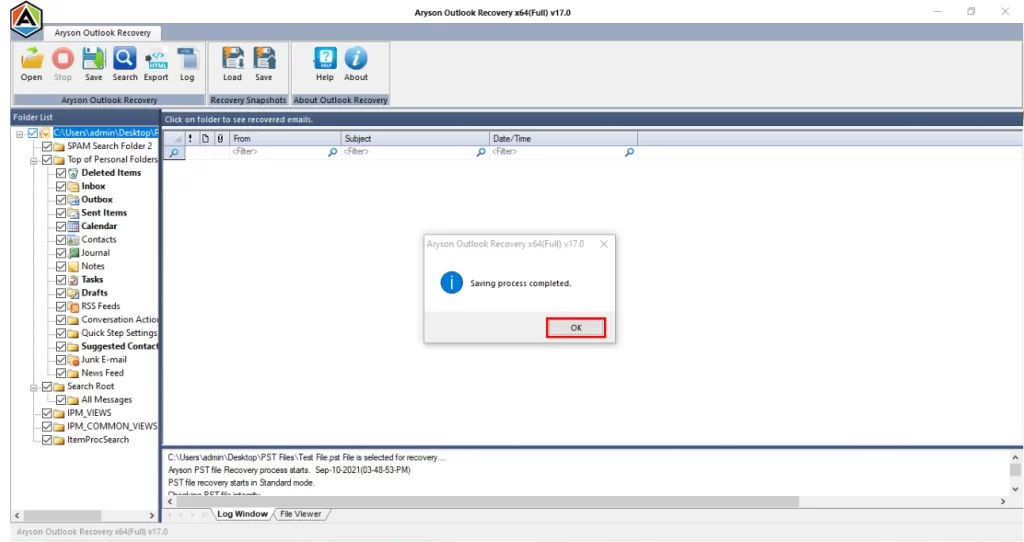
- Tap OK and Error 0x800ccc1a in MS Outlook is resolved by the software.
Troubleshooting steps to make the process smooth:
- Keep your Outlook and Windows updated to the new versions.
- Always use the server settings given by your email provider.
- Back up your Outlook data regularly.
- When Outlook is running, don’t shut the pc.
- Use a repair tool every few months to keep PST files healthy.
Conclusion
The 0x800ccc1a Outlook Error can stop your emails from being sent or received, but it can be solved. If it’s caused by wrong SSL settings, the manual method will work. But if it’s due to file corruption, then the Aryson Outlook PST Repair Tool is a more reliable and faster choice. Follow the tips above to make sure this problem does not trouble you again.
Frequently Asked Questions
Q.1 What is Outlook error 0x800ccc1a?
Ans. It’s an error caused by mismatched encryption settings or corrupted Outlook data files, preventing emails from being sent or received.
Q.2 How do I fix the 0x800ccc1a error in Outlook?
Ans. First, check and adjust your SSL/TLS settings. If that doesn’t work, repair your Outlook data file using a professional PST repair tool.
Q.3 Is 0x800ccc1a an SMTP or POP3 error?
Ans. It can occur with both SMTP (outgoing) and POP3/IMAP (incoming) servers.
Q.4 Can Windows updates cause the Outlook error 0x800ccc1a?
Ans. Yes, certain updates can change network or security settings, leading to this error.
Q.5 How can I prevent error 0x800ccc1a in Outlook in the future?
Ans. Keep Outlook updated, use correct server settings, and maintain healthy PST files with regular repairs.
4.9 based on 1809 user reviewsAbout The Author:

Isha Singh is a content and website optimization expert who helps blogs and businesses grow organically. She specializes in enhancing content quality, improving site structure, and increasing online visibility through smart, practical, and easy-to-implement strategies that drive long-term results.
Related Post