-
Written By Rohan Wiese
-
Updated on August 22nd, 2025
How to Fix 0x8000ffff Error Code in Windows Easily
 4.9 based on 1809 user reviews
Summary: If you’ve ever been working on your PC and suddenly faced the 0x8000ffff Error Code, you’re not alone. This issue often appears during Windows updates, system restores, or even when launching the Microsoft Store, sometimes labeled as “Catastrophic Failure.” The best part is you don’t usually need to reinstall Windows. With the right solutions and reliable utilities like Windows Data Recovery Tool, you can protect your files. And you can solve the error and get your system back to normal.
What Exactly Is the 0x8000ffff Error Code?
In very simple terms, this error occurs when the Windows of the device has an unexpected configuration problem. Instead of working, the system just stops working. This is when you see the dreaded code 0x8000ffff.
Why Does the 0x8000ffff Error Occur?
This error doesn’t just appear out of nowhere. There are a few common reasons that can trigger it:
- When Windows system files are damaged or lost, the operating system can’t function as expected, which often leads to errors.
- If the update components themselves are broken or incomplete, Windows may fail to install updates and show this code.
- Old or incompatible drivers may clash with system processes, causing instability.
- Harmful software or even certain apps can interfere with updates and system files, resulting in the error.
- Wrong configurations, such as system date/time mismatches or registry issues, may also be behind the problem.
Unexpected Configuration Problem 0x8000ffff
Most people bump into it during updates. If you’re on Windows 10, the error might be in the form of 0x8000ffff Windows 10 Update. It might appear while downloading or installing patches. On Windows 11, you could see it while upgrading or restoring the system. Another situation is inside the Microsoft Store, you click on an app, and boom, 0x8000ffff catastrophic failure.
Simple Solutions to Fix 0x8000ffff Error
Now, let’s talk solutions. You don’t need any technical expertise; just follow these solutions one by one.
Solution 1: Fix 0x8000ffff Windows 11
Microsoft built a tool to update the software automatically.
- Go to Settings > Update & Security > Troubleshoot.
- Select Windows Update Troubleshooter.
- Lastly, run it and restart your computer.
Solution 2: Repair Damaged System Files
Sometimes, system files get deleted or corrupted. But Windows has built-in tools to 0x8000ffff fix Error code:
- Open Command Prompt as Admin.
- Type sfc /scannow and press Enter.
- When it finishes, run:
DISM /Online /Cleanup-Image /RestoreHealth. - Restart your PC and check if the error is gone.
Solution 3: Reset Microsoft Store Cache
If the problem is in the store:
- Press Win + R.
- Type wsreset.exe and hit Enter.
- The store will reset and reopen fresh.
Solution 4: Update Your Drivers
- Old drivers can cause conflicts.
- Open Device Manager.
- Right-click devices one by one and choose Update driver.
- Restart after updates.
Solution 5: Use Safe Mode
Sometimes a third-party app is a real culprit.
- Hold Shift and click Restart.
- Go to Troubleshoot > Advanced Options > Startup Settings > Safe Mode.
- Run the update or restore.
Solution 6: Roll Back with System Restore
If all else fails, restore Windows to an earlier point.
- Open Control Panel > Recovery > Open System Restore.
- Pick a date before the error started showing.
A clean install is the last option. In most cases, repairing files, clearing cache, or running troubleshooters will do the trick
Solution 7: Automated Method to 0x8000ffff Error Code
Data loss is a common and frustrating issue for Windows users. Files can be deleted by mistake, and drives can be formatted, which leads to the loss of valuable data. Aryson Windows Data Recovery Software offers a reliable and fast way to solve these problems. It can restore deleted, lost, or inaccessible data while supporting all major file types—even from crashed or corrupted systems.
How to Use Aryson Windows Data Recovery—Step by Step
- Firstly, install and run Aryson Windows Data Recovery Software.
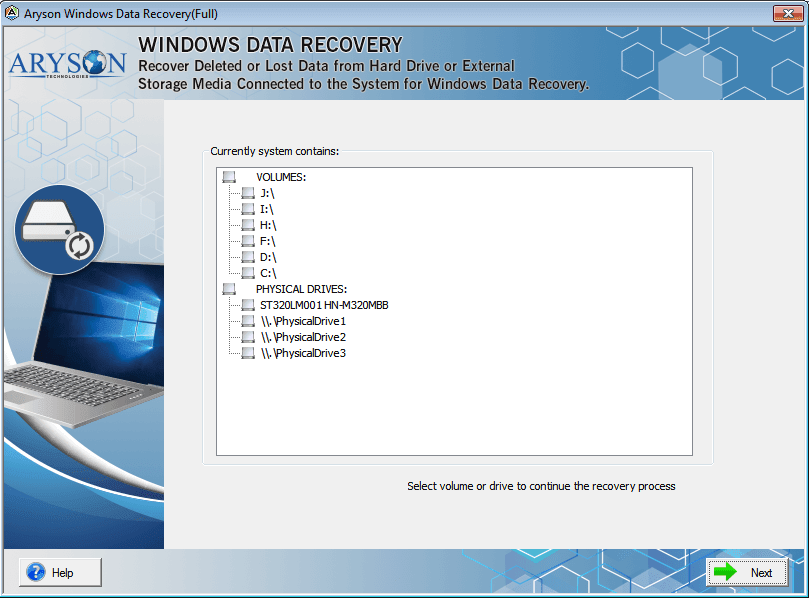
- Select the volume drive, or any physical drive, and click Next.
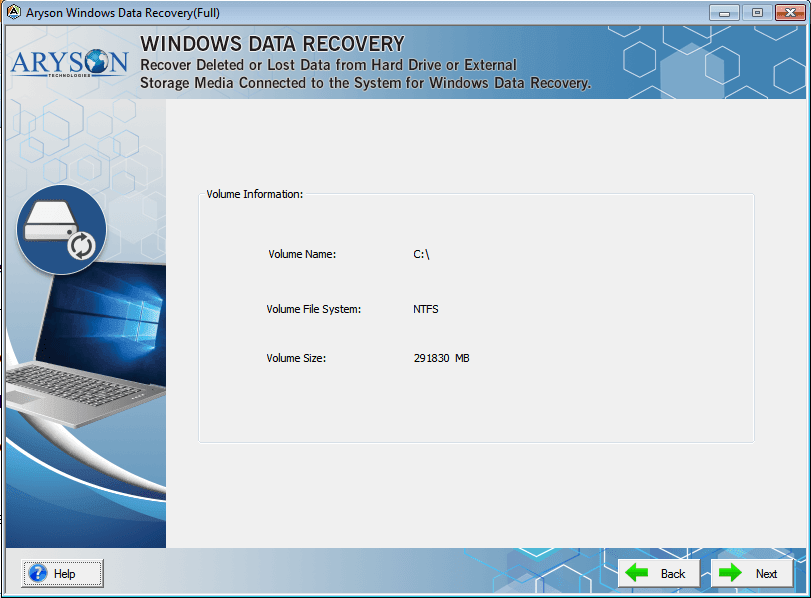
- Select one of the recovery modes and click Next.
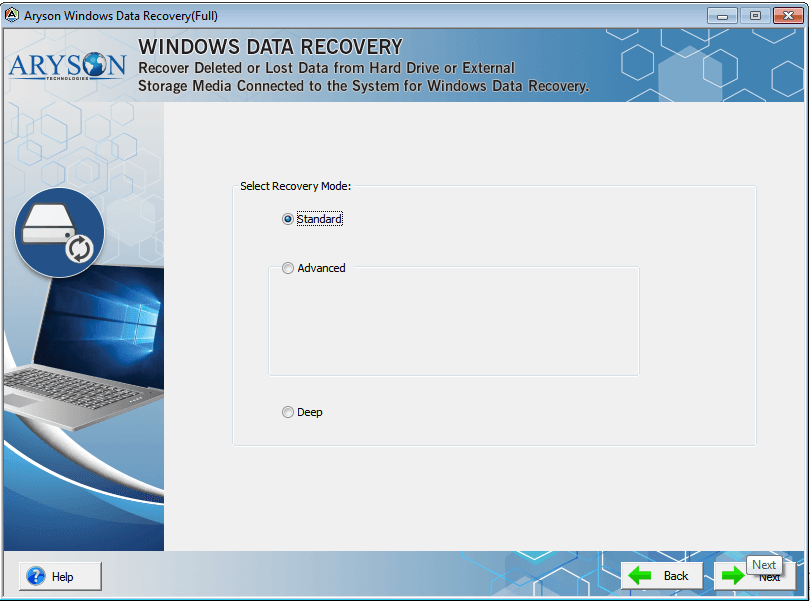
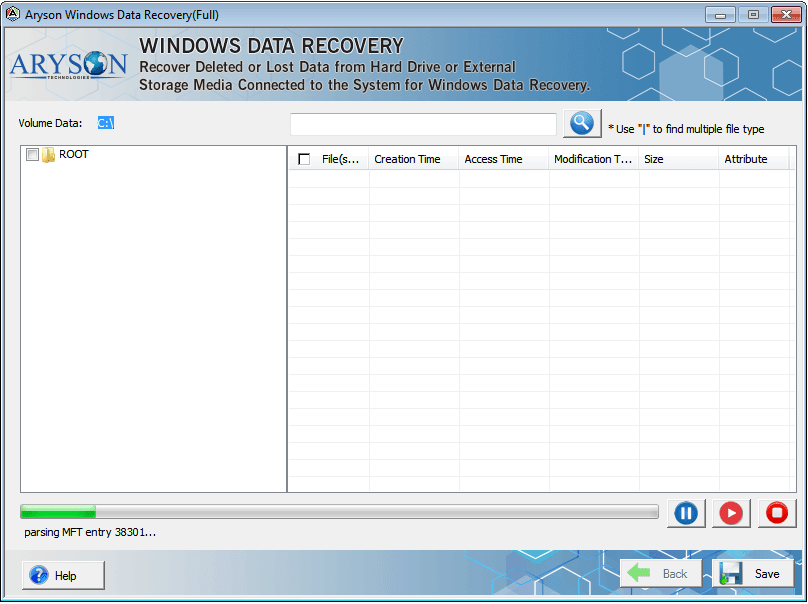
- Select and start the scanning process of the selected drive/volume.
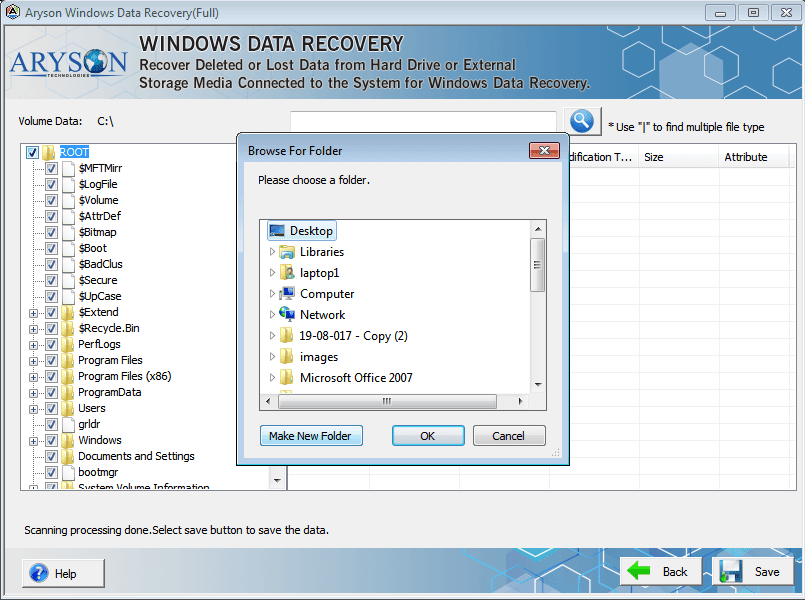
- Finally, click Save, choose the destination path, and confirm with OK.
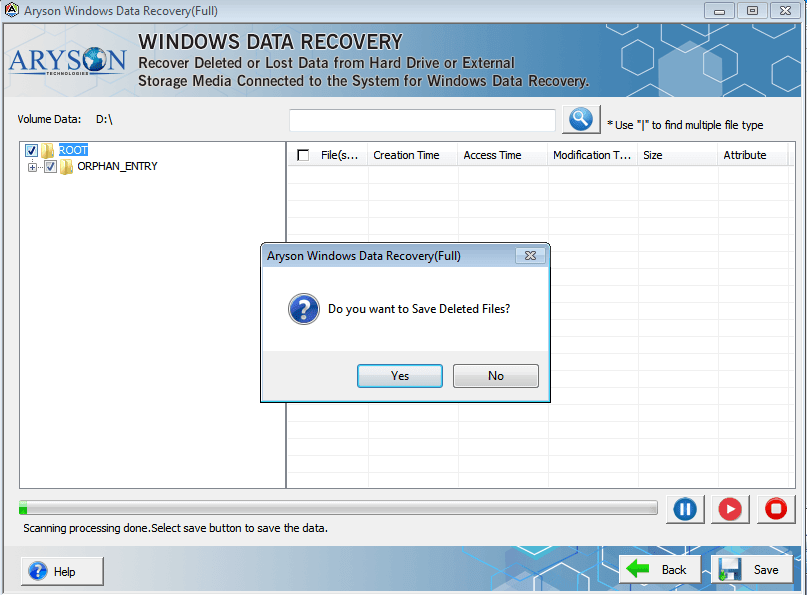
- If you want to restore the deleted files, press yes to continue.
Final Words
The 0x8000ffff error code is annoying but fixable. Whether it pops up as a Windows 10 update error, a Windows 11 catastrophic failure, or an unexpected configuration problem, the methods above usually solve it. If you’re still stuck after trying everything, a professional Windows repair tool or expert help may be the way to go. For related issues, check out our guide on fixing the 0x800ccc1a Outlook Error.
Frequently Asked Questions
Q.1 What is the 0x8000ffff error code in Windows?
Ans. It’s an error that shows up when Windows hits a configuration problem, usually due to corrupt files or updates.
Q.2 When does the 0x8000ffff error occur in Windows 10 or 11?
Ans. It happens mostly during updates, restores, or when using the Microsoft Store.
Q.3 How to fix 0x8000ffff Error in Windows 10 & 11 (Catastrophic Failure)?
Ans. Run the update troubleshooter, repair system files, reset the Store cache, or restore the system.
Q.4 Can I fix 0x8000ffff without reinstalling Windows?
Ans. Yes, you can fix it using built-in tools. Reinstalling is the last step.
Q.5 Does the 0x8000ffff error affect performance?
Ans. Not directly, but failed updates can cause long-term stability and security issues.
4.9 based on 1809 user reviewsAbout The Author:

Rohan Wiese is a content and website optimization expert who helps blogs and businesses grow organically. He specializes in enhancing content quality, improving site structure, and increasing online visibility through smart, practical, and easy-to-implement strategies that drive long-term results.
Related Post