-
Written By Isha Singh
-
Updated on February 10th, 2026
How to Fix SQL Server Error 3241: ‘RESTORE HEADERONLY Is Terminating Abnormally’
 4.9 based on 1809 user reviews
SQL Server Error 3241 is a common restore-time issue that usually appears when the server fails to read the backup file metadata. The error message often indicates corruption, a permission problem, or compatibility issues within the backup file. Since database restores are a very critical operation, they interrupt business workflows and risk the data available on the server. In this guide, we will discuss the 2026 possible conversion that accomplishes the restoration, including SQL Recovery Software. It helps you to back up your important data with data integrity safely.
About SQL Database Error 3241
This error occurs when the SQL server does not interpret the HEADERONLY command internally to read backup details. The details are like database name, backup type, and SQL Server version. However, when this process fails, SQL Server stops the restore operation and shows an error message like “RESTORE HEADERONLY is terminating abnormally.”
Common Causes of SQL Server Error Code 3241
First, you must understand the root cause to help you choose the correct fix. The most frequent reasons include:
- When you have a corrupted or incomplete backup file on your server.
- Then the backup file was copied improperly from another system.
- Moreover, you do not have sufficient permissions on the backup directory.
- When you don’t have a compatible version of SQL Server.
- There is a high chance of damaged disc sectors or storage media issues.
Quick Solutions to Fix SQL Error Code 3241
Below are the methods discussed that accomplish the restoration with data security.
Method 01. Cross-check the Backup File Integrity
Before you restore, always check whether the backup files are readable or not.
RESTORE VERIFYONLY
FROM DISK = ‘C:\Backup\Database.bak’;
If SQL Server returns errors, the backup file may be corrupted.
Method 02. Run RESTORE HEADERONLY Manually
When you run this command, it will help to confirm whether SQL Server can read backup metadata.
RESTORE HEADERONLY
FROM DISK = ‘C:\Backup\Database.bak’;
Method 03. Check File and Folder Permissions
SQL Server requires read access to the backup file location.
- Make sure the SQL Server service account has permission to access the folder.
- Avoid restoring from network locations without proper credentials.
- Use NTFS permissions instead of relying only on shared folder access.
Method 04. Check the Server Logs of SQL
SQL Server logs often reveal additional clues.
- To initiate this, open SQL Server Management Studio (SSMS).
- After that, navigate to Management >> SQL Server Logs.
- Now, look for errors related to I/O, permissions, or backup header issues.
Logs are essential when troubleshooting Microsoft SQL Server Error 3241.
Method 05: Use Automated Software to Restore Corrupt Files
SQL Recovery Software is the best solution for users who have a corrupt file. This software is reliable for all types of repair, including SQL Server Error 3417. This software helps users to repair all types of major and minor errors. Its advanced scanning option helps to analyse and repair all the corrupt and damaged files. This software also has a demo version available to understand the workflow and security.
Working Process for SQL Server 3241 Error
- Start with download the SQL Recovery Software on your computer.
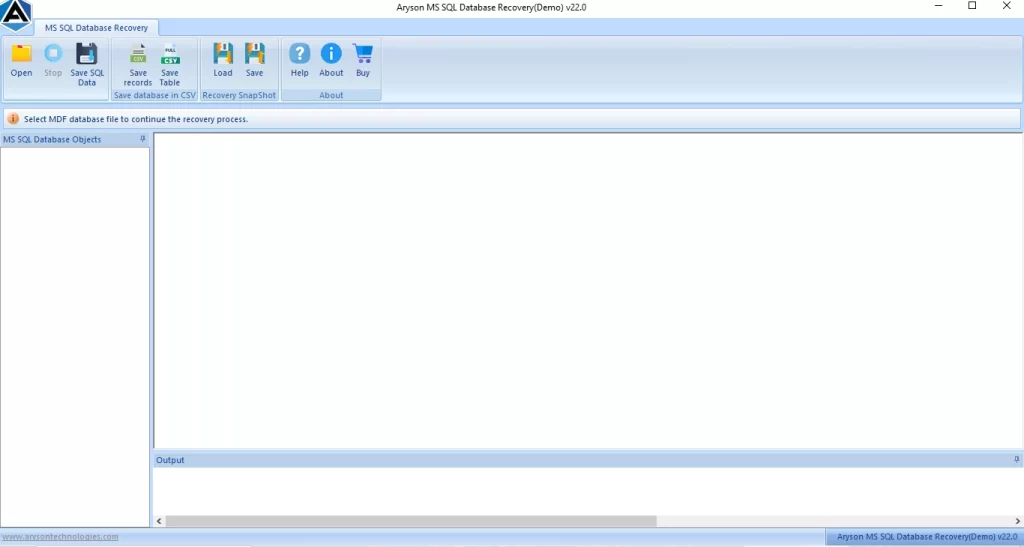
- Next, from the menu bar, click on Open and browse the .mdf files.
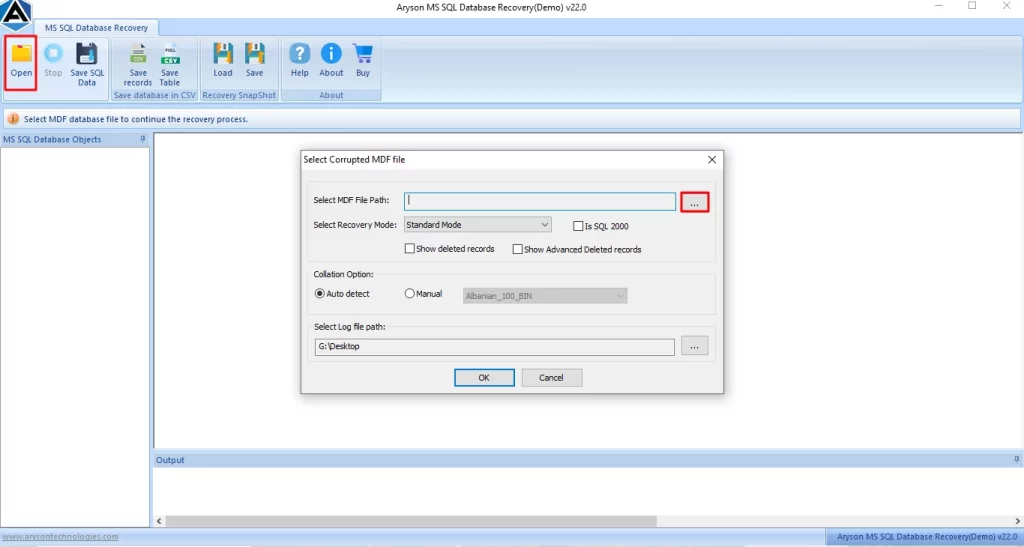
- Select the Standard and Advanced recovery modes to recover files, and click Ok.

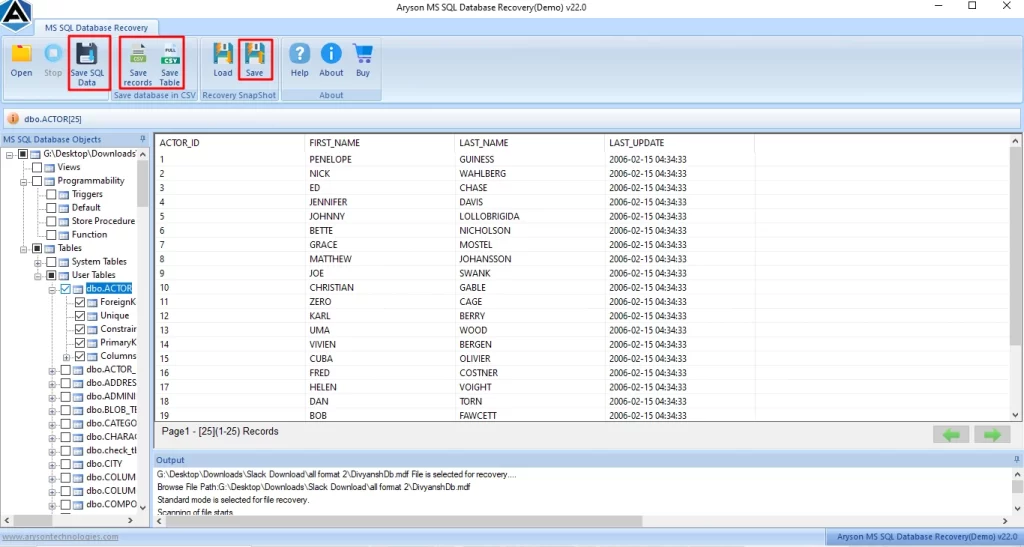
- After that, preview the recovered scanned folders in tabular form.

- Finally, tap on Save from the menu bar to save your recovery files.
How is this automated software best for you?
- In addition, its scanning option helps users to scan their corrupt .mdf files.
- Also, it preserves the user’s data folder structure and manages the folder hierarchy.
- Further, before saving the files, the user can preview and select the folders they want to save.
- Moreover, it securely recovers tables, indexes, views, and triggers.
Precautions for SQL Server 3241 Error
- You should always verify backups of your data after creation.
- Make sure to store backups on reliable storage media.
- Moreover, always use consistent SQL Server versions across environments.
- Keep in mind to schedule regular backup integrity checks.
- Furthermore, you must avoid interruption of backup or copy operations.
Proactive maintenance reduces restore failures and ensures business continuity.
Ending Note
In this blog, we covered all the solutions to resolve the error. If you face any corrupt file error, check permissions and make sure you have proper version compatibility to resolve the error. It is recommended that you use the automated software to securely recover your data without any loss. Regular backup and proper storage can reduce the chances of encountering errors.
Frequently Asked Questions
1. Why does SQL Server Error 3241 happen?
Ans. SQL Server Error 3241 happens when SQL Server cannot read the backup header due to corruption, permission issues, or version incompatibility.
2. How can I check if the backup file is valid?
Ans. Use RESTORE VERIFYONLY or RESTORE HEADERONLY commands to validate the backup file before restoring.
3. What permissions are required to restore a database?
Ans. The SQL Server service account must have read access to the backup file and folder location.
4. How can I use logs to troubleshoot SQL Server Error 3241?
Ans. SQL Server error logs in SSMS provide detailed information about I/O failures, permission errors, and restore issues.
5. Where can I find more information if the restore fails?
Ans. You can check SQL Server logs, or you can use the SQL Recovery Software to restore the files.
6. Can I restore a backup from a newer version of SQL Server to an older version?
Ans. Yes, this SQL Recovery software is reliable for restoring your data from a newer version to an older version.
4.9 based on 1809 user reviewsAbout The Author:

Isha Singh is a content and website optimization expert who helps blogs and businesses grow organically. She specializes in enhancing content quality, improving site structure, and increasing online visibility through smart, practical, and easy-to-implement strategies that drive long-term results.
Related Post